How it works

How one simulator rep becomes evidence you can review.

TradeMasterSim is built around a simple loop: start a scenario, prepare the decision, use checklist discipline, make a simulated choice, then replay the evidence instead of guessing from memory.

The training rep

From scenario to replay.

A user is not just clicking through a chart. Each rep is designed to connect the setup, the user's preparation, the simulated decision, the result, and the review record.

1. Start a scenario

The session opens a historical daily scenario window for a supported stock. The goal is to place the user inside a realistic decision moment, not to provide a market call.

2. Read the setup

The Scenario tab gives the symbol, timeframe, scenario title, difficulty, description, objectives, conditions, and notes so the user knows what they are practicing.

3. Prepare before acting

The user writes the thesis, bias, confidence, entry trigger, invalidation, key levels, no-trade conditions, and checklist reflection before the outcome is known.

4. Pass through checklist discipline

The Checklist tab slows the decision down. It tracks checked items, completion, and process gates so the trade idea is not just a reaction to the chart.

5. Make the simulated decision

The user advances candles and uses the simulator controls to arm the idea, cancel it, stand aside, activate the trade, or complete the simulated outcome.

6. Review the evidence

After the rep, the user can return to the journal and replay the scenario with preparation, checklist status, trade facts, PRE/POST summaries, and learning takeaways attached.

Workstation

What the user does inside the simulator.

The workstation combines the chart, scenario context, checklist, self-analysis, and trade controls so the user can practice the full decision process in one place.
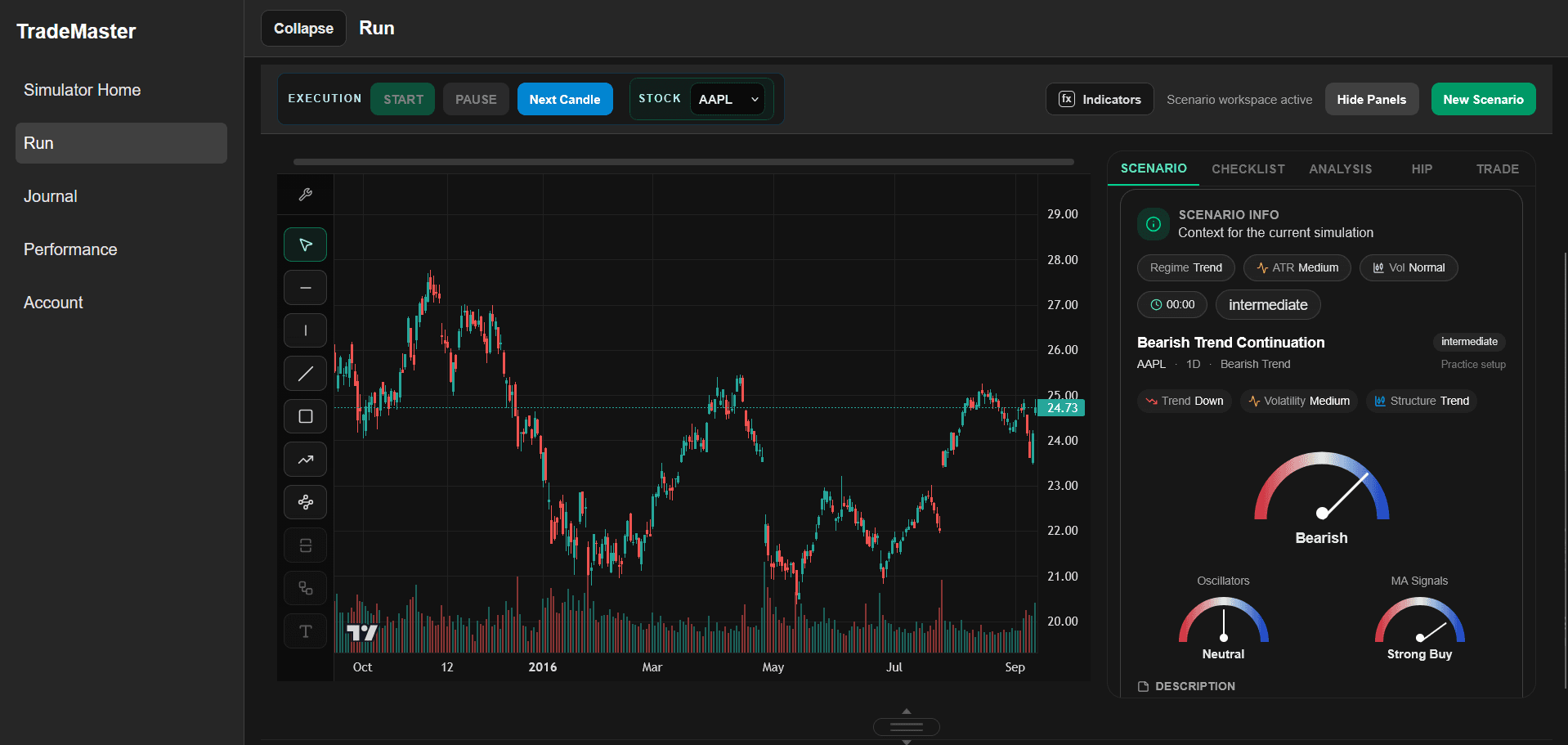
TradeMasterSim simulator workstation with chart and training panels

Scenario tab

Shows the scenario context: symbol, timeframe, title, type, description, objectives, difficulty, dates, conditions, and notes.

Checklist tab

Keeps the process visible before action. The simulator tracks checklist completion and uses it as part of the training evidence.

Analysis tab

Captures the user's preparation: thesis, trigger, invalidation, key levels, no-trade rules, confidence, notes, and reflection.

Chart workspace

Displays the training window with chart controls and indicator context so the decision is tied to what the user actually saw.

Simulated trade controls

Lets the user practice the decision path: advance, arm, cancel, stand aside, activate, close, and record the simulated result.

Mentor PRE / POST review

Where included, the product can save PRE and POST review artifacts so the user can compare preparation, execution, and outcome later.
Journal and replay

What gets saved after the rep.

The value of the simulator is not only the action. It is the record: what the user prepared, what they checked, what they did, what happened, and what they can review later.
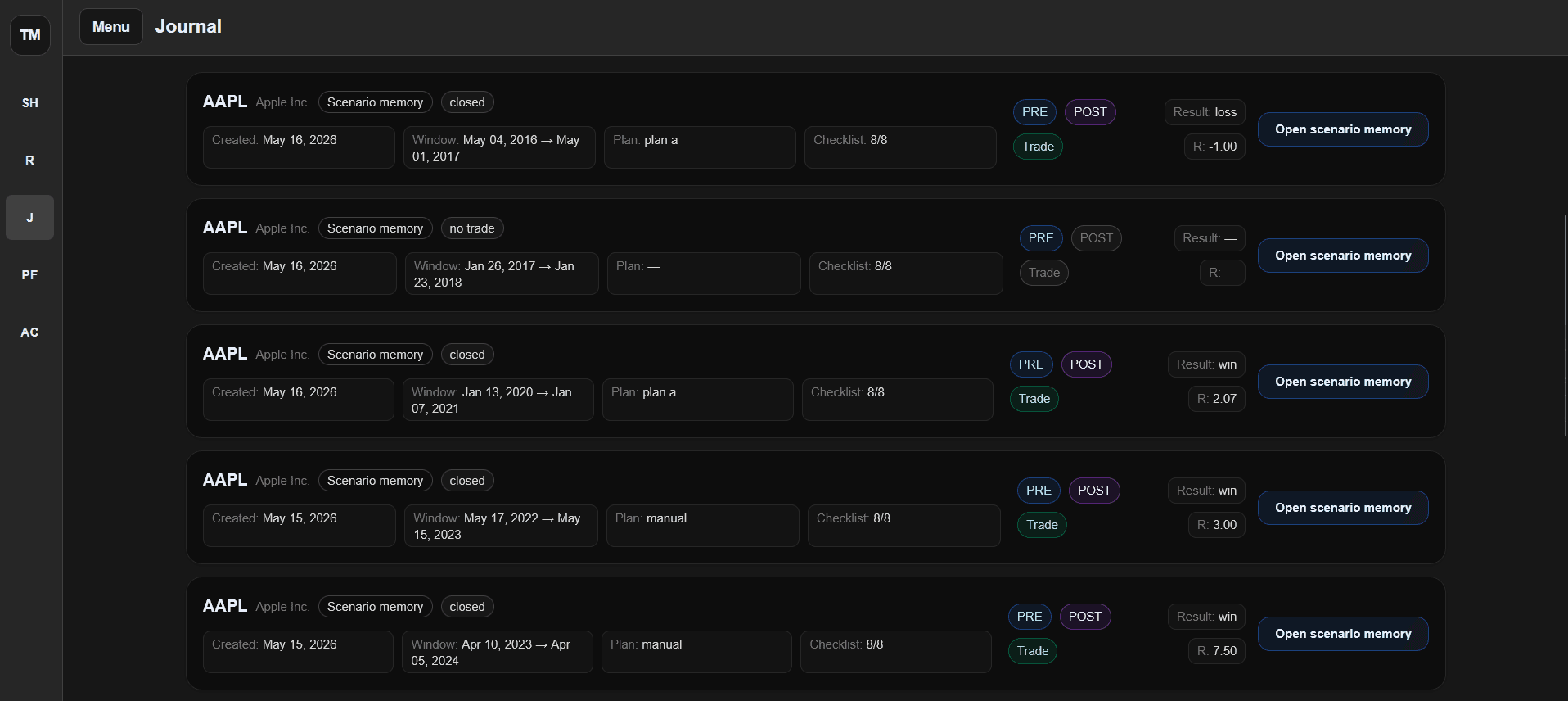
TradeMasterSim journal and replay memory interface

Scenario journal

The journal lists saved scenario memories with symbol, state, dates, plan, checklist count, PRE/POST availability, trade record, result, and R multiple.

Scenario replay

Replay opens the exact training run and shows what the user prepared, what happened, what was reviewed, and what should be learned next.

Trade facts

Executed simulated trades can preserve direction, entry, fill, stop, target, exit, close reason, result, R multiple, and activation time.

Learning artifacts

PRE review, POST review, self-analysis, checklist state, trade journal, and replay context stay attached to the same session instead of being scattered.
Performance intelligence

How repeated reps become a clearer training picture.

A single scenario can teach something. A history of scenarios can show patterns. TradeMasterSim uses saved review evidence to help users inspect process quality over time.
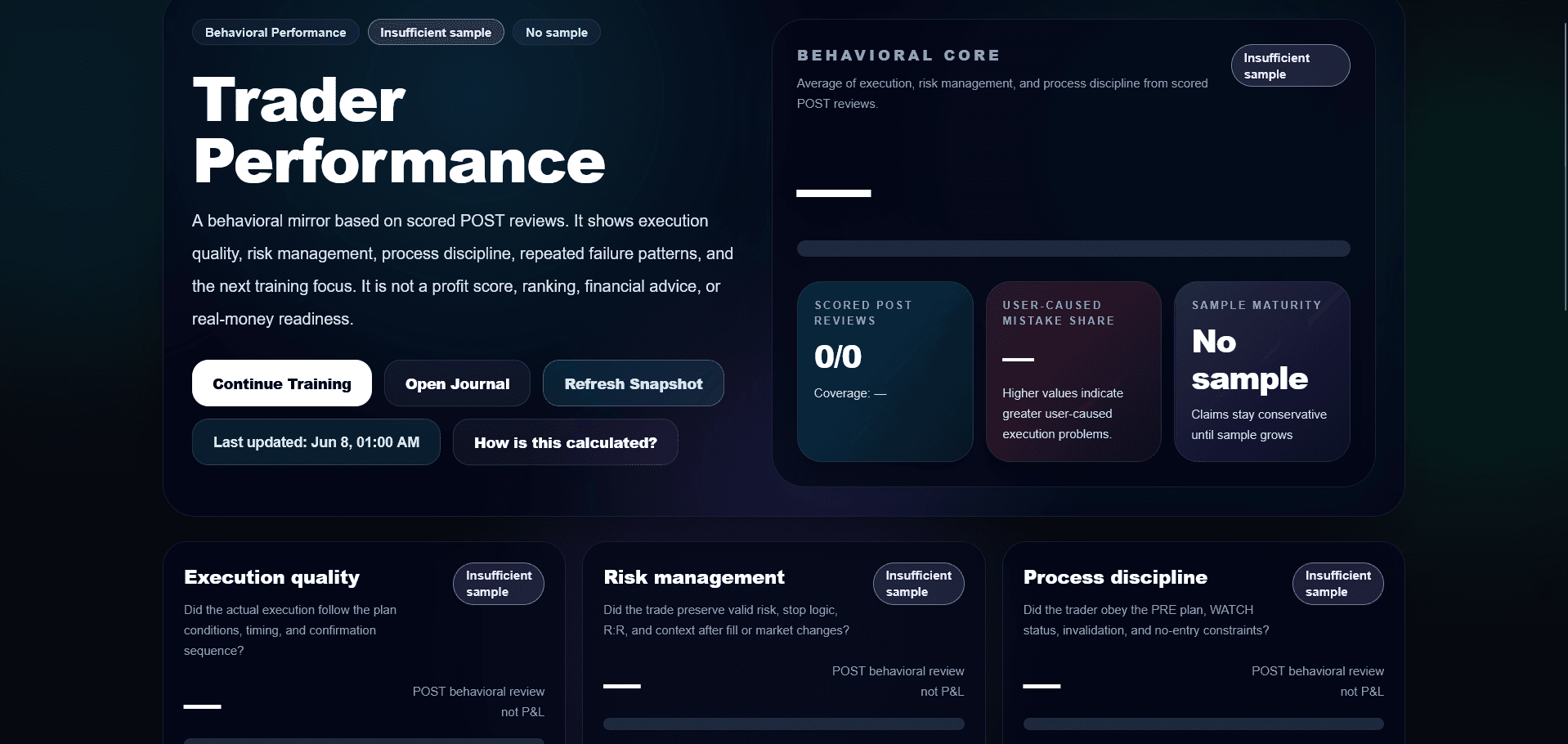
TradeMasterSim performance intelligence dashboard

Behavioral review

Performance intelligence focuses on process quality from saved training data: execution, risk management, discipline, responsibility, and repeated patterns.

Pattern flags

The dashboard can surface repeated process signals such as missing checklist evidence, weak timeline evidence, or recurring review patterns.

Next focus

The point is to help the user decide what to practice next, not to rank the user, predict the market, or promise trading performance.
Important boundary

Training system, not market instruction.

TradeMasterSim can help users practice and review the decision process. It does not tell users what to buy or sell, does not route broker orders, does not sell trading signals, and does not promise real-market results.

No signals or recommendations

The simulator does not provide buy, sell, hold, entry, exit, allocation, or copy-trading instructions.

No broker execution

The product does not connect to a brokerage account, custody assets, or execute real-money trades.

No outcome promise

Simulation, replay, journal review, PRE/POST outputs, and performance intelligence are training records, not guarantees.